TenderKosh for EPC teams
Turn tender reading into faster bidding decisions.
Discover relevant tenders, monitor corrigenda, compare opportunities, and move from document reading to structured action.
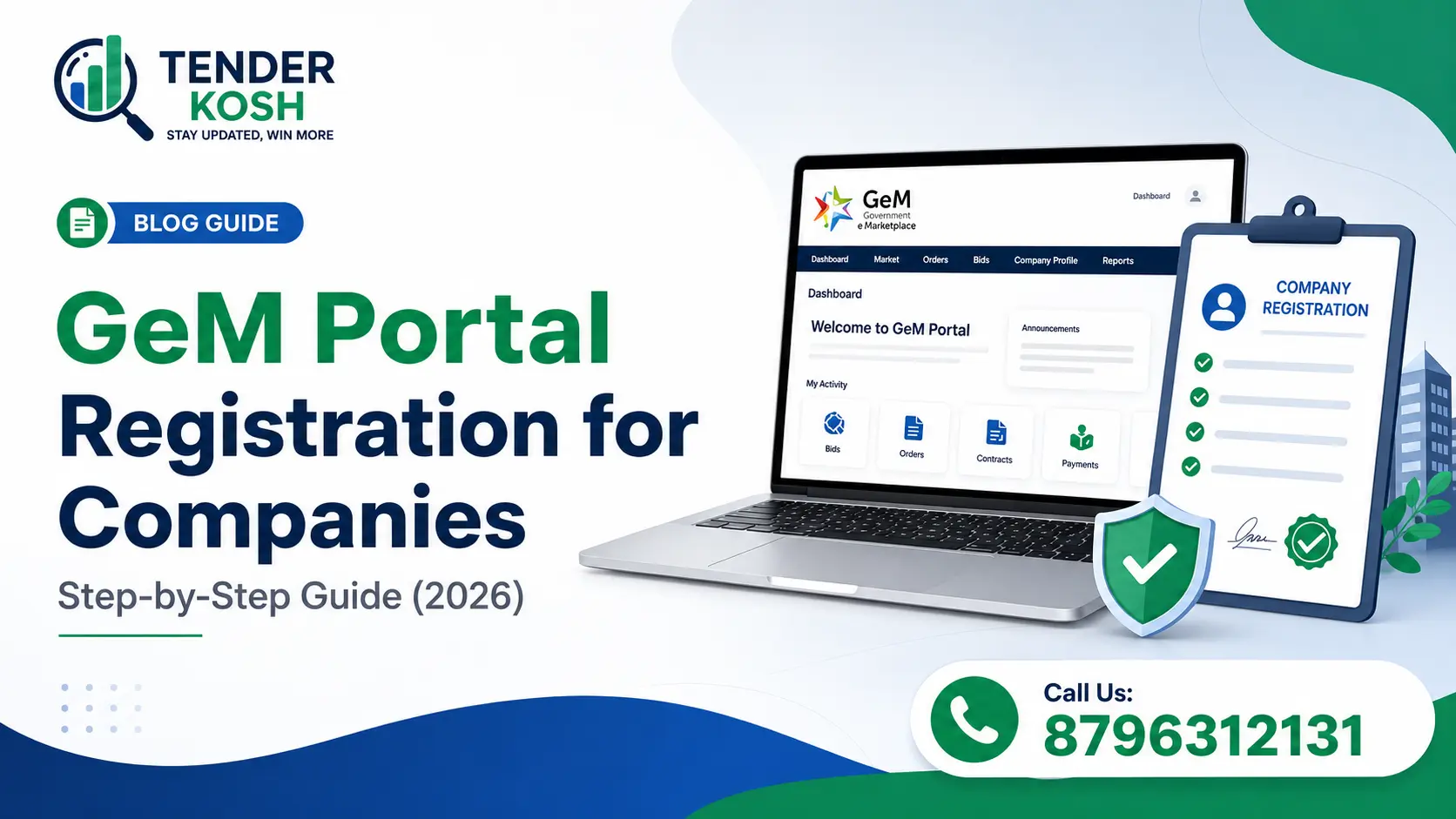
GeM portal registration is free, entirely online, and can be completed by a company in a few working days — provided your PAN, GST, incorporation certificate and bank account all carry the exact same entity name.
Sign up as a Seller at gem.gov.in, complete e-KYC for the authorised signatory, add and verify a current account in the company’s name, upload clear document scans, and fill the profile to 100%. Nearly every rejection traces back to a name or document mismatch, not to eligibility.
The Government e-Marketplace is now the default channel for central and state government buying in India, covering everything from laptops and furniture to solar equipment, cybersecurity services, drone operations and manpower contracts. For a company that has never sold to government before, GeM portal registration is the single lowest-friction way in — there is no tender fee, no physical submission, and no minimum turnover to create an account.
What trips companies up is not the application itself. It is the verification layer underneath it. A meaningful share of first-time applications get held up or rejected, and the causes are boringly consistent: the entity name reads “Pvt Ltd” on one document and “Private Limited” on another, the bank account is a savings account in a director’s name, or the scans are too blurry for automated checks to read. This guide walks through GeM portal registration for companies as it actually works in 2026 — eligibility, documents, the step sequence, what it genuinely costs, and where applications die.
Key Takeaways
On this page
GeM portal registration creates a seller account on the Government e-Marketplace, letting your company list products or services and receive orders directly from government buyers. It is run by the Ministry of Commerce and Industry and is the mandated route for most central government procurement of common-use goods and services, with the great majority of states now on board too.
The practical value is that it collapses three traditional barriers at once. There is no tender document to buy, no physical bid to courier, and no requirement to already be an established government supplier. A newly incorporated company with a clean GST record can complete GeM portal registration and be eligible for a direct purchase order in the same month.
How government buyers actually buy on GeM, which determines what your registration is worth:
Value thresholds for each route are set by procurement rules and have been revised more than once — confirm the current limits on the portal before building a pricing strategy around them.
GeM portal registration is open to essentially any legally constituted Indian business entity with a PAN and a bank account. There is no turnover floor, no minimum vintage, and no requirement for prior government experience — the eligibility test is about legitimacy, not scale.
| Entity Type | Registers As | Key Requirement |
|---|---|---|
| Private / Public Limited Company | Company | Certificate of Incorporation; company PAN; current account in company name |
| LLP | LLP | LLP registration certificate and LLPIN; LLP PAN |
| Partnership Firm | Partnership | Registered partnership deed; firm PAN |
| Proprietorship | Proprietorship | Proprietor’s PAN; shop and establishment or Udyam certificate |
| Trust / Society / Section 8 | Trust or Society | Registration certificate; entity PAN |
Select the entity type carefully at signup. Choosing “Company” when you are a proprietorship — or the reverse — is one of the more common reasons an application stalls, and correcting it afterwards is considerably more painful than getting it right in the first place.
Assemble everything before you start, and check the names against each other before you upload anything. The document list for GeM portal registration is short; the consistency requirement is what demands attention.
| Document | Whose | What to Watch |
|---|---|---|
| PAN card | The entity | Must be the company/LLP/firm PAN, not a director’s personal PAN |
| GST registration certificate | The entity | GSTIN must be active, not suspended or cancelled, and linked to the same PAN |
| Aadhaar | Authorised signatory | Must be linked to an active mobile number for OTP-based e-KYC |
| Business registration proof | The entity | Incorporation certificate, LLP certificate, partnership deed or shop licence |
| Bank proof | The entity | Cancelled cheque or passbook page for a current account in the entity’s name |
| Udyam certificate | The entity | Optional but strongly advised for MSMEs — unlocks procurement benefits |
| Class 3 DSC | Authorised signatory | Needed for bid signing rather than for account creation itself |
Scan quality is a real rejection cause. Verification checks are increasingly automated, so upload clear colour scans at a reasonable resolution in the formats and size limits the portal specifies. A legible phone photograph on a flat surface in good light beats a skewed, low-contrast scan.
The full sequence below takes under an hour of actual work. The waiting happens in verification, so front-load the preparation and the rest of GeM portal registration moves quickly.
Lay every document side by side and compare the entity name character by character across PAN, GST, incorporation certificate and bank records. Fix mismatches at source before you touch the portal.
Why it matters: this single step prevents the large majority of rejections. Everything downstream assumes these four agree.
Go to the official portal, choose Sign Up, then Seller or Service Provider. Accept the terms and conditions and select your correct organisation type from the list.
Why it matters: only ever register through gem.gov.in directly. Lookalike domains offering “official GeM registration” for a fee are a persistent problem.
Complete Aadhaar or PAN based e-KYC for the person who will act as primary user, with OTP verification on the linked mobile and email.
Why it matters: choose someone who will remain with the company. Transferring the primary user role later is possible but fiddly.
Add the legal business name exactly as it appears on incorporation documents, along with registered address, GSTIN and Udyam number where applicable.
Why it matters: type the name; do not paraphrase it. Abbreviating “Private Limited” is the classic mismatch trigger.
Enter a current account held in the entity’s own name with correct IFSC, and complete penny-drop verification.
Why it matters: government payments route here. A personal or savings account will fail verification for a company or LLP.
Upload each document in the specified format and within the size limit, checking that every page is legible and fully within frame.
Why it matters: re-upload cycles are the most common source of week-long delays in GeM portal registration.
Fill in business description, all addresses, product and service categories, and add secondary users for staff who will manage catalogue or bids.
Why it matters: an incomplete profile limits what you can do on the portal and looks weaker to buyers comparing sellers.
Create catalogue entries under the correct category, with accurate specifications, images where required, honest delivery timelines and competitive pricing.
Why it matters: delivery timelines are contractually binding. Optimism here becomes a performance problem later.
TenderKosh handles GeM portal registration end to end — document checks, entity setup, catalogue listing — and then keeps live GeM bids and RAs flowing to you alongside CPPP, SECI and state portals in one dashboard.
Creating the seller account is free. Anyone charging you a “government fee” to sign up is charging you for their own service, not for GeM. The costs that genuinely exist sit around registration rather than in it.
Read this before you budget. Published guidance on GeM’s caution money deposit is currently contradictory. Several 2026 sources report that the turnover-based deposit was discontinued under a revenue policy revision, replaced by a pay-as-you-grow model. Other equally recent sources still describe the old slab structure as active. We are not able to resolve that conflict from public reporting, and neither should you rely on any third-party guide for it — including this one. Log in to the Seller Corner on gem.gov.in and check what your own account actually shows.
| Cost Item | Applies To | Refundable? |
|---|---|---|
| Account creation | Everyone — there is no fee | N/A |
| Caution money deposit | Status disputed for 2026 — verify on Seller Corner | Yes, it is a deposit rather than a fee |
| Vendor assessment fee | OEMs and specified categories only | No |
| Annual milestone charge | Sellers crossing the defined annual sales threshold | No |
| Transaction charges | Order value based, above the threshold | No |
| Class 3 DSC | Anyone bidding, paid to a certifying authority | No |
The structural point worth internalising is that GeM’s revenue model is back-loaded. You pay little or nothing to get on the platform and start selling; charges arrive once you are earning from it. That is deliberate policy to lower the entry barrier for MSMEs, and it means the cost of attempting GeM portal registration is close to zero even if you are unsure it will work out.
Vendor assessment is a third-party evaluation of your business, and it is not required for every seller. It applies to Original Equipment Manufacturers and to certain product categories where the buyer needs assurance about manufacturing capability rather than just trading legitimacy.
If you manufacture what you sell, getting onto the OEM panel is worth the effort. OEM status lets you register your brand in the relevant category, authorise resellers, and compete for orders where the buyer has specified manufacturer supply. If you are a reseller or distributor, you generally need OEM authorisation from the manufacturer to list their products rather than an assessment of your own.
Check before you pay. The vendor assessment fee is non-refundable, and reported figures vary considerably across sources and turnover brackets. Confirm the current applicable fee and whether your specific category requires assessment at all on the portal before initiating it.
Almost none of it is about eligibility. Companies that fail at this stage are usually perfectly eligible and simply tripped an automated consistency check.
A registered account with an empty catalogue earns nothing. GeM portal registration puts you in the room; the catalogue is what gets you noticed.
Start by listing carefully rather than broadly. Pick the categories you genuinely serve, write specifications that match how buyers search rather than how your marketing describes the product, add images where the category requires them, and set delivery timelines you can actually hit — these become contractual obligations, and missed delivery damages a rating that takes months to rebuild.
Early on, direct purchase orders are the most valuable thing you can win. They are small, they clear quickly, and they build the transaction history and rating that make you credible when you start competing in bids and reverse auctions. Once you move into bidding, the evaluation logic resembles conventional tendering — our guide on technical bid vs financial bid covers how the two envelopes are assessed, and the EMD guide explains bid security and the MSME exemptions you can claim with a valid Udyam registration.
Two compliance points worth flagging. Categories with mandatory BIS or IS certification are enforced strictly, and listing without valid certificates risks removal and account action. And amendments to live GeM bids work exactly as they do elsewhere in Indian procurement — see what a corrigendum in a tender is if you are new to tracking them.
Creating a seller account on GeM is free — there is no registration fee. Costs can arise separately: a vendor assessment fee where your category requires assessment, and charges under GeM’s revenue policy once your sales cross a defined threshold in a financial year. Verify the charges that apply to your account on the official portal, since the fee structure has changed more than once.
If every document matches and the bank verification clears, a company can typically complete GeM portal registration and reach a fully usable profile within a few working days. The delays are almost always caused by name mismatches between PAN, GST and the incorporation certificate, or by a bank account that is not in the entity’s own name.
For most companies selling goods, an active GSTIN is required, and it must not be suspended or cancelled. Some exempt categories and certain service providers can register without GST depending on the applicable rules. The GSTIN must be linked to the same PAN as the registering entity.
A Class 3 DSC is not always needed to create the account itself, but it is required for signing and submitting many bids and contract documents on the portal. Any company planning to bid rather than only take direct purchase orders should obtain one in the authorised signatory’s name early.
Udyam is not strictly mandatory to create a seller account, but without it an MSME loses access to benefits such as EMD waivers, L1 price-matching privileges and MSME-reserved procurement. If your company qualifies as an MSME, complete Udyam registration before registering on GeM.
Vendor assessment is a third-party evaluation of a business, required for OEMs and for listing in certain product categories. It reviews the entity’s manufacturing or service capability and legitimacy. The fee is non-refundable and separate from registration, and the assessment is not required for every seller or every category.
Yes. There is no minimum turnover, vintage or prior-experience requirement for GeM portal registration. A company incorporated this month with a valid PAN, active GSTIN and a current account in its own name can register and become eligible for direct purchase orders straight away.
GeM portal registration is genuinely easy — the hard part is document hygiene, not bureaucracy. Get your entity name identical across PAN, GST, incorporation certificate and bank account, use a current account in the company’s name, scan clearly, and the process rarely causes trouble.
What separates companies that earn from GeM from those that merely have an account on it is what happens next: a properly categorised catalogue, realistic delivery commitments, early direct purchase orders to build a rating, and disciplined tracking of the bids worth pursuing. Register carefully, then treat the catalogue as the real product.
Note: GeM’s policies on fees, deposits, purchase thresholds and category requirements are revised periodically, and public reporting on the 2026 caution money position is currently inconsistent. Everything above reflects information available at the time of writing. Always confirm the current process, charges and requirements for your own account on the official portal, gem.gov.in, before acting.
This article is general information, not advice. It has been compiled from publicly available sources — government releases and notifications, official portals, published tender documents and trade reporting — and reflects our understanding at the time of writing. It is not legal, financial, tax or professional advice, and it does not create any advisory relationship.
Public procurement changes constantly. Tender terms, eligibility criteria, thresholds, fees, deadlines, scheme conditions and government policy are revised frequently, often through corrigenda issued mid-window and sometimes without wide notice. Figures and rules that were accurate when published may already have changed by the time you read this.
Always verify against the primary source before you act or bid. The tender document, the issuing authority's official portal and the relevant government notification are the authoritative sources. Where anything in this article differs from them, the official source prevails. Do not rely on this page — or on any third-party summary — as the basis for a bid, an investment or a compliance decision.
TenderKosh is a private tender-intelligence platform. We are not a government body, and we are not affiliated with, endorsed by or acting on behalf of any government department, ministry, PSU or procurement portal. Names, marks and portals referenced belong to their respective owners and are used for identification only. External links are provided for convenience; we do not control and are not responsible for third-party content.
While we take reasonable care, we make no warranty as to the accuracy, completeness or currency of this content, and accept no liability for any loss or damage arising from reliance on it.Spotted something wrong or out of date? Please tell us at support@tenderkosh.com — we correct errors promptly.See our full Disclaimer.
Discover relevant tenders, monitor corrigenda, compare opportunities, and move from document reading to structured action.